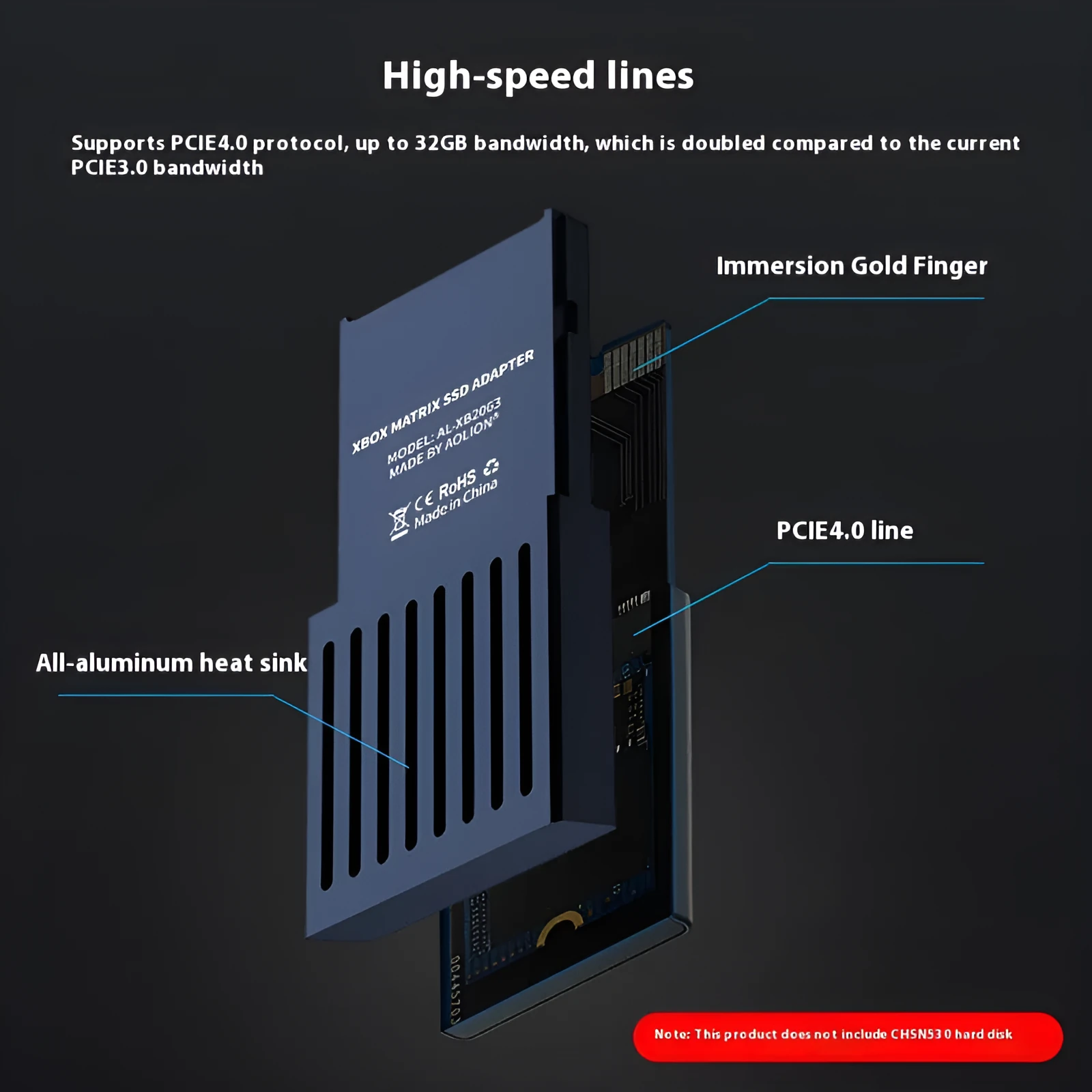
Xbox Series X/S Host Hard Disk Switching Box in aluminium alloy construction measuring 30x60x7mm with CFexpress to M.2 SSD interface - conversion tool for expanding console storage with included screwdriver and instruction manual


Xbox Series X/S Host Hard Disk Switching Box in aluminium alloy construction measuring 30x60x7mm with CFexpress to M.2 SSD interface - conversion tool for expanding console storage with included screwdriver and instruction manual
Xbox Series X and S Hard Disk Switching Box for M.2 SSD Storage Expansion

For gamers looking to increase the available storage on their Xbox Series X or Series S consoles, this hard disk switching box presents a dedicated hardware interface solution. It bridges the console's internal CFexpress port to a standard M.2 SSD, providing a pathway for adding more game, app, and media capacity. The product is supplied as a complete kit, containing the converter unit itself, a purpose-made screwdriver, and a step-by-step instruction manual to guide the setup process. It is important to note that the actual solid-state drive is not included, allowing users to select an M.2 SSD that meets their specific capacity needs and performance preferences. Designed for single-person use and suitable for individuals aged 12 and above, this tool offers a targeted approach to console storage upgrades.
Features and Construction
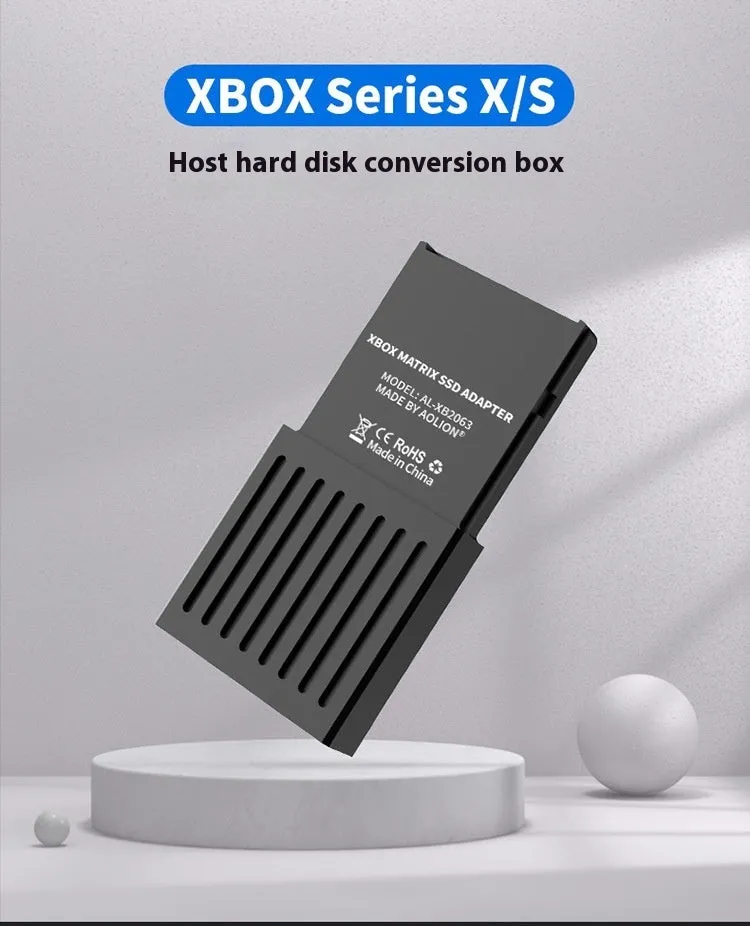
This switching box is engineered with a focus on providing a reliable physical interface between the Xbox's hardware and additional storage media. Its construction and included accessories are geared towards enabling a straightforward installation process for the user.
Material and Build
The main housing of the switching box is fabricated from aluminium alloy. This material choice contributes to a product that is both lightweight, making it easy to handle during setup, and sufficiently robust to protect the internal conversion circuitry. The use of metal also aids in dissipating minimal heat generated during operation. The build is centred around the core conversion technology that adapts the CFexpress interface signal to work with a standard M.2 SSD form factor.
Size and Practical Fit
The converter maintains a very compact profile, with external dimensions measuring 30 millimetres in width, 60 millimetres in length, and a slim 7 millimetres in thickness. This small size means the unit takes up minimal space near your console setup. The design is purely functional, focused on facilitating the electrical connection rather than incorporating decorative elements. The included screwdriver is sized appropriately for the fasteners used in the assembly, and the paper instruction manual provides clear, physical guidance.
Uses and Placement

This product serves a specific technical function within a gaming or entertainment setup. Its primary use case is clear, but it also has potential in scenarios where hardware demonstration or gifting is considered.
Event or Professional Use
The product's nature as a specialised console accessory makes it a candidate for certain business or event contexts. As indicated in the source information, it could be suitable as a business gift or for use at trade fairs, perhaps as a demonstration item for companies involved in gaming hardware, storage solutions, or technical retail. In these settings, it showcases a practical upgrade path for a popular gaming platform.
Everyday Home Use
For the home user, the switching box addresses a common limitation of modern consoles: finite internal storage. It allows an Xbox Series X or S owner to systematically expand their available space by adding a compatible M.2 SSD. This is a one-time upgrade process that, once completed, integrates seamlessly into the console's ecosystem. The product is intended for a single user to install and manage, fitting into a personal gaming setup without requiring ongoing adjustment or technical maintenance.
Benefits and Buying Value
The value of this product lies in its specific functionality and the completeness of the kit provided. It solves a defined problem with a focused toolset.
Reuse and Low Maintenance
As a hardware interface, the switching box is designed for a primarily single installation event. Once configured with your chosen M.2 SSD, it should require no further maintenance or adjustment under normal use. The aluminium construction is chosen in part for its durability and resistance to corrosion, suggesting a product meant to last for the lifespan of the storage upgrade. The included manual and tool are reusable for potential future checks or adjustments, though day-to-day operation is entirely hands-off after setup.
Why Choose This Product
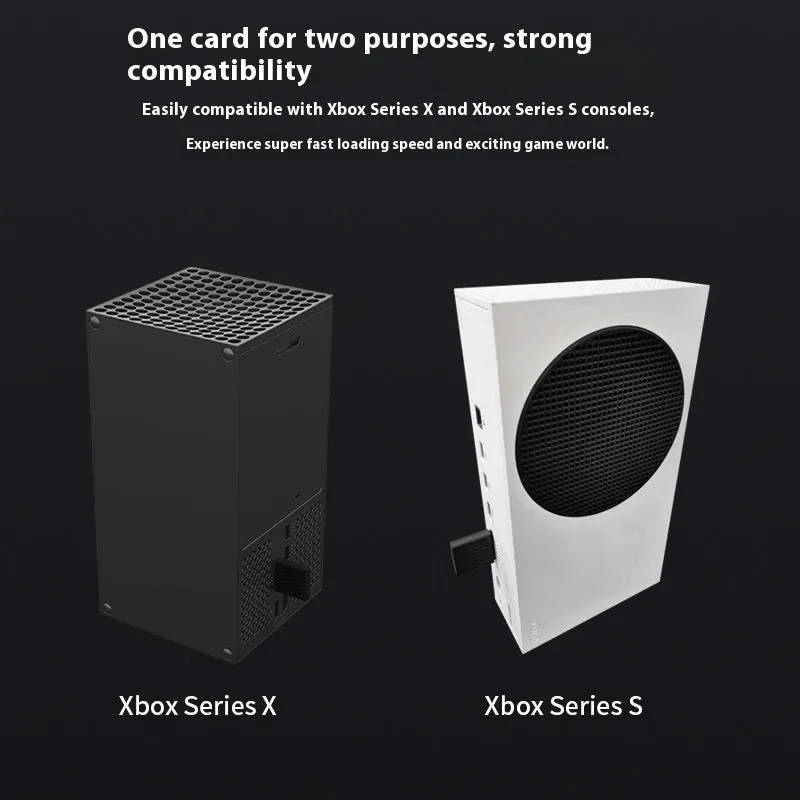
Choosing this switching box is a decision based on its direct compatibility and included toolkit. It is explicitly designed for the Xbox Series X and S consoles, removing any guesswork about compatibility for those specific models. The inclusion of the necessary screwdriver and a physical manual means you have everything required to perform the installation immediately, without needing to source additional tools. The compact, metal build points towards a product made with practical longevity in mind, providing a stable platform for your storage expansion over time.